2D sprite animation you direct
You direct the stunt
Get sprite references for every frame
Pose a stunt dummy, time the move on a real timeline, and get your own character drawn in every frame, on-model, at the angle you choose. No prompt roulette, no premade moves.
How it works
You keep the control an animator wants. Whoever does the drawing, you or any AI, works from a clear guide for every frame.
Pose the stunt dummy
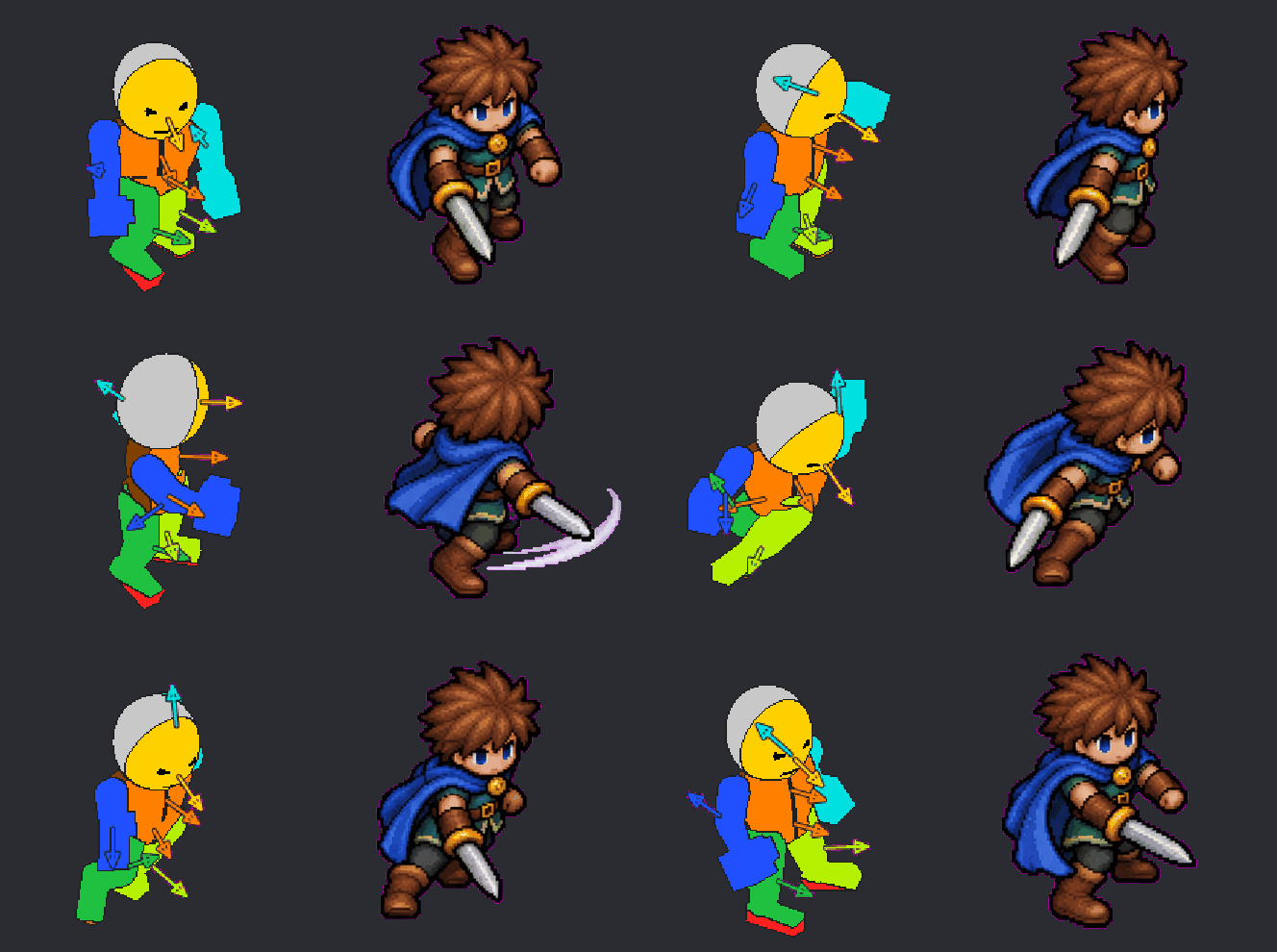
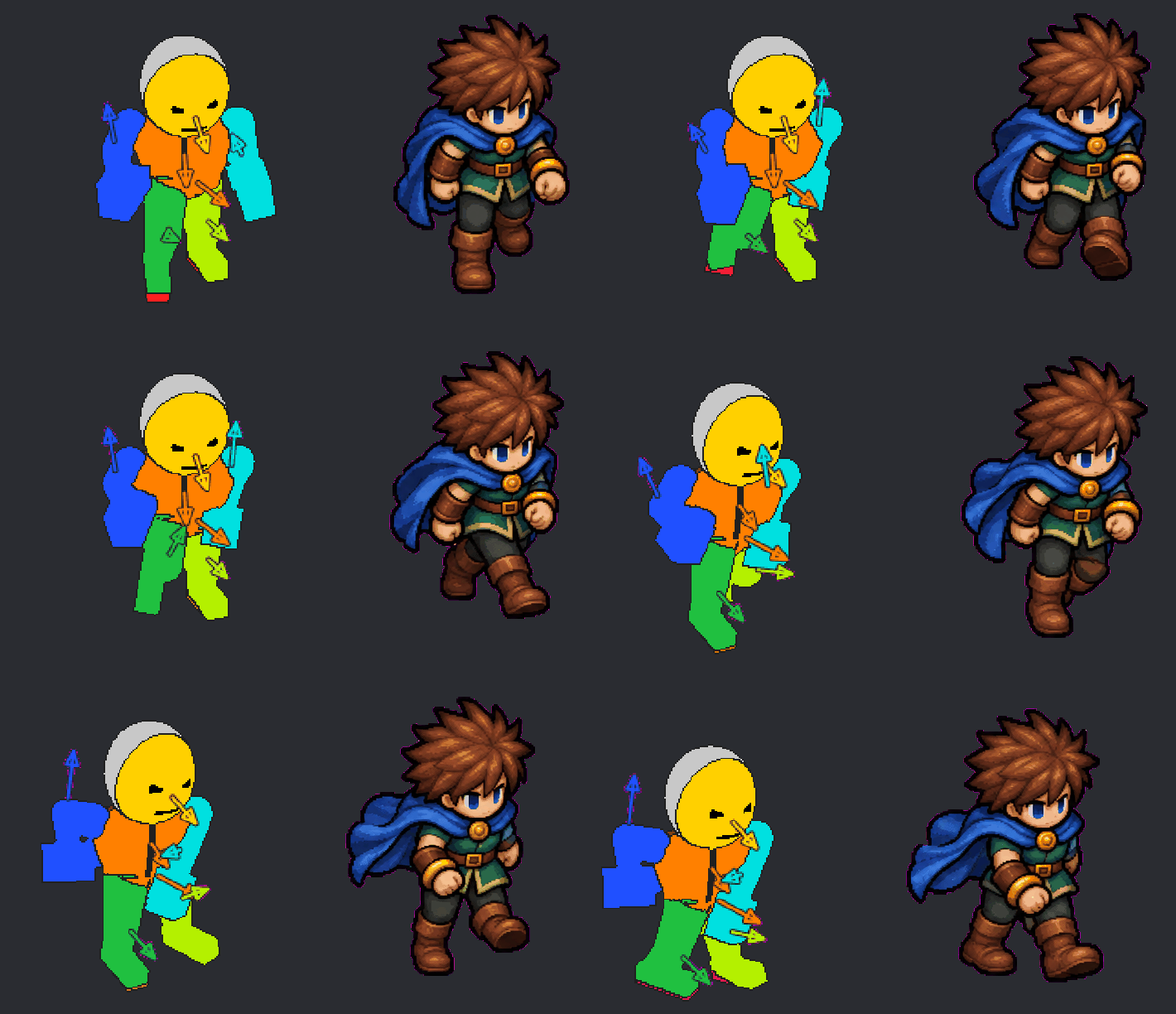
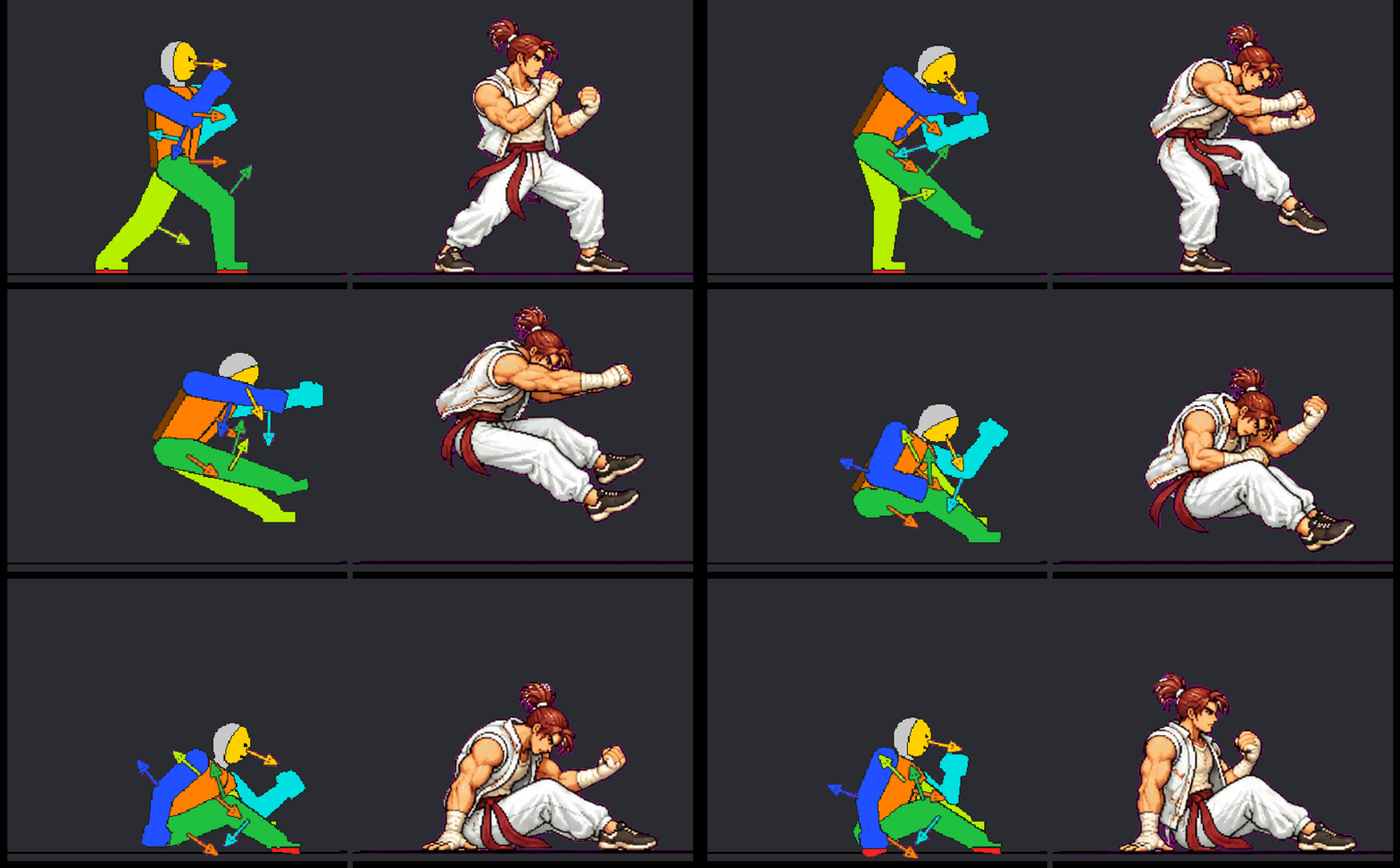
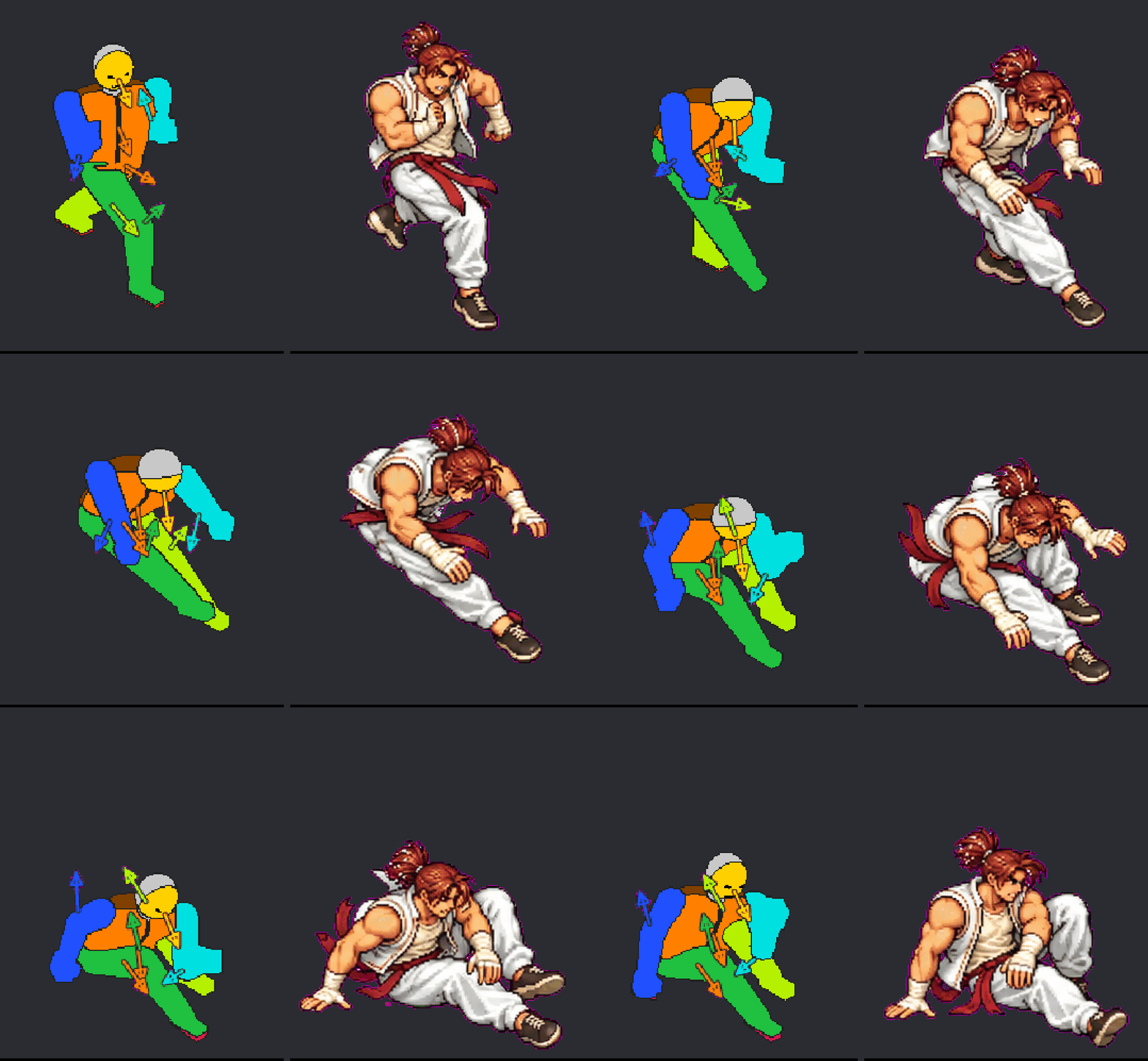
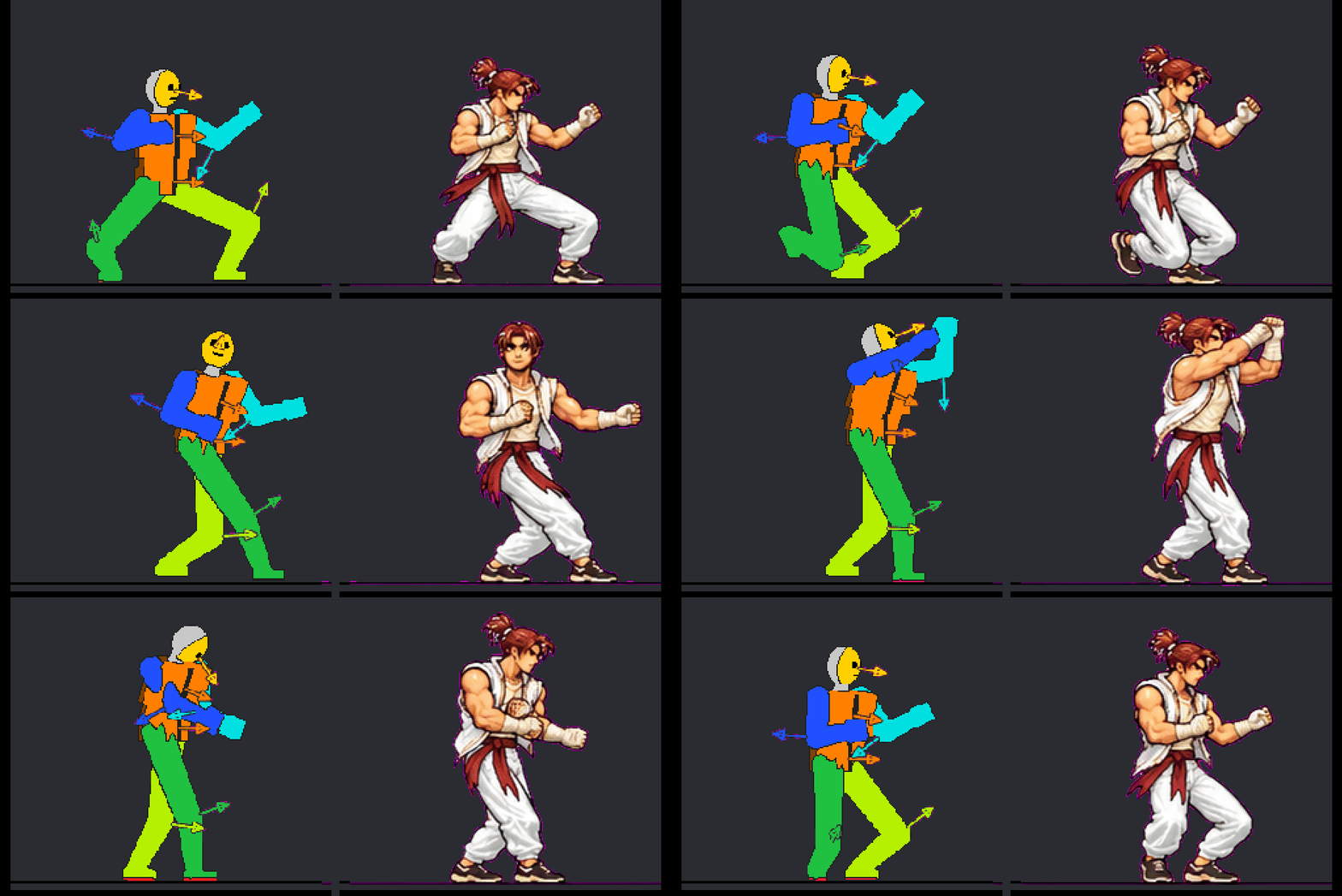
Drag hands, feet, hips, head and joints in 3D or 2D. Colour-coded parts and facing arrows show exactly which way everything points.
Time it
Key poses on a timeline in seconds. Stretch frames, tween with curves, hold feet in place, scrub and play it back, with onion skins.
Get your character
Upload a reference picture once. Stunt Sprite builds a guide sheet for every frame. Draw over it yourself, or hand it to any image AI with the ready-made prompt, and load the result back to play.
Made with Stunt Sprite
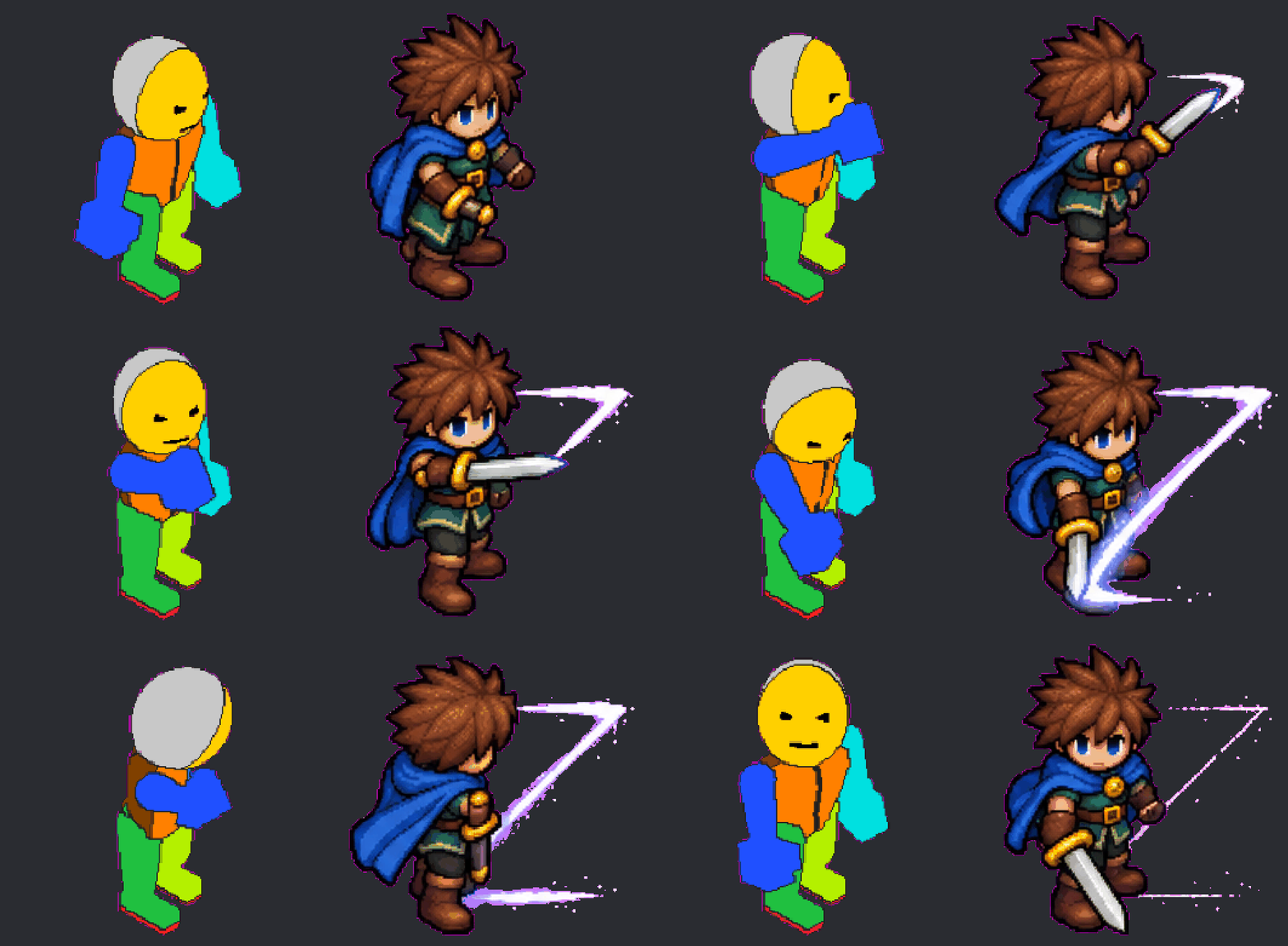
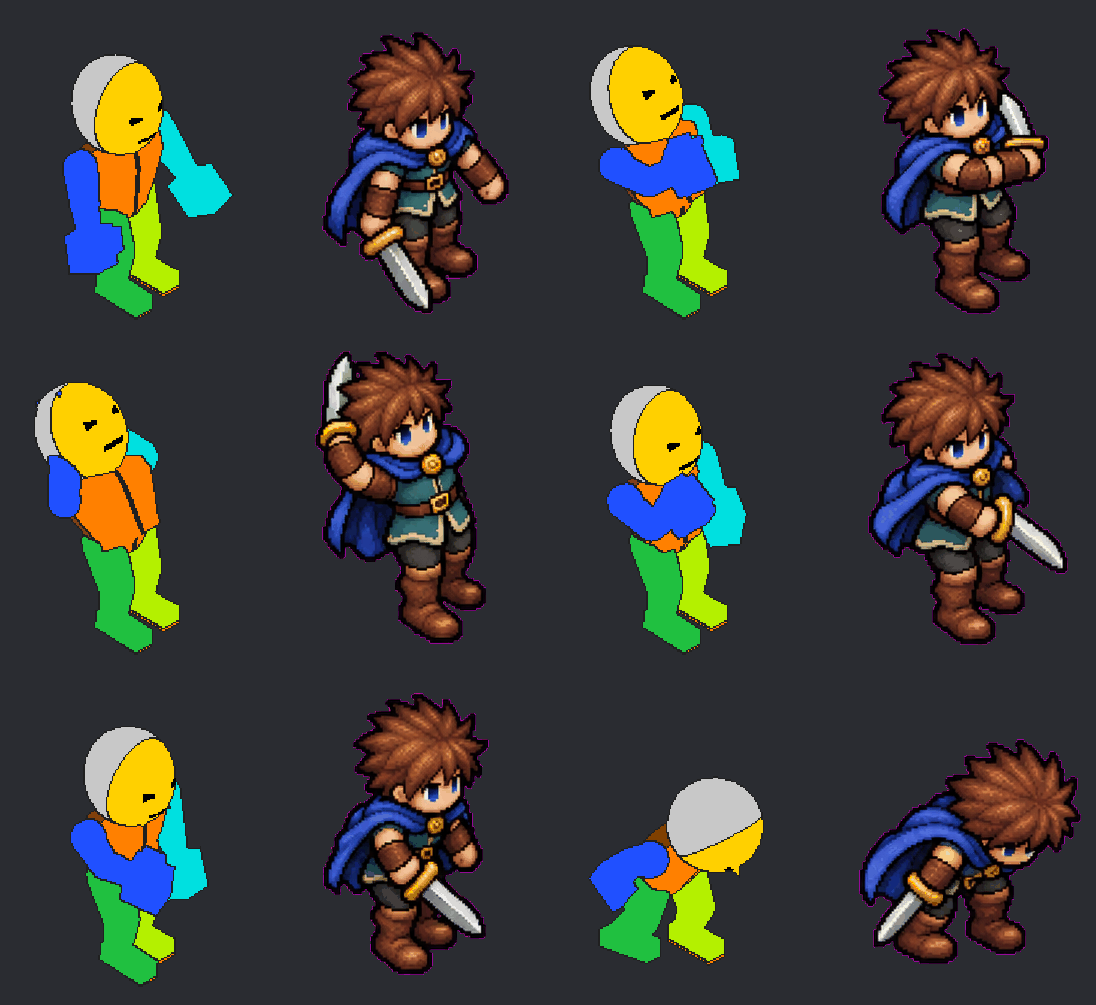
Each pair is the guide (left) and the drawing (right), straight out of the tool, unedited. Two characters, side and isometric views.
Built for control
Everything a one-click generator can't give you.
Why not just prompt it?
Prompt-and-pray generators
- Premade moves, or a sentence describing one
- Poses and timing are whatever comes out
- Characters drift between frames and angles
Stunt Sprite
- You pose every key frame and set the timing
- One reference picture keeps the character on-model
- Same guide, any angle: re-shoot a move in isometric in a minute
Pricing
The editor is free. Supporter is one purchase: use it from the editor or your AI assistant, with your own AI account. Easy Mode is monthly and we do the drawing for you, even right in ChatGPT.
Free
- The full posing editor and timeline
- Guide sheets and ready-made prompts
- Use them with your own LLM
- Reference sheets for drawing by hand, no AI needed
- Load the drawing back to play it
Supporter coming soon
- Everything in Free
- Use it from Claude, Codex or Cursor (MCP): ask for a move, get the guide and the drawing
- One-click drawing in the editor, with your own AI account
- Clean exports: frames lined up, background removed
- Sprite sheets for Unity, Godot, GameMaker and Aseprite
- Pay once, keep it
Easy Mode coming soon
- Everything in Supporter
- Full output support: we draw every frame for you, no AI account needed
- Works inside ChatGPT
- Cleaned, lined up and exported, ready for your engine
- Cancel any time